WordPress / PHP
Server-side product framework, persistence and platform workflows.
Interactive Enterprise IT Training & Troubleshooting Platform
A browser-based practical IT training platform that places learners inside a persistent virtual company where they diagnose incidents, configure infrastructure, manage competing tickets and build real-world troubleshooting experience through connected scenarios.
Traditional IT training often separates concepts into videos, quizzes and isolated labs. IT Office Simulator was created to reproduce the working experience of an IT department: multiple tickets, changing priorities, real troubleshooting decisions and technical actions that affect an evolving company environment.
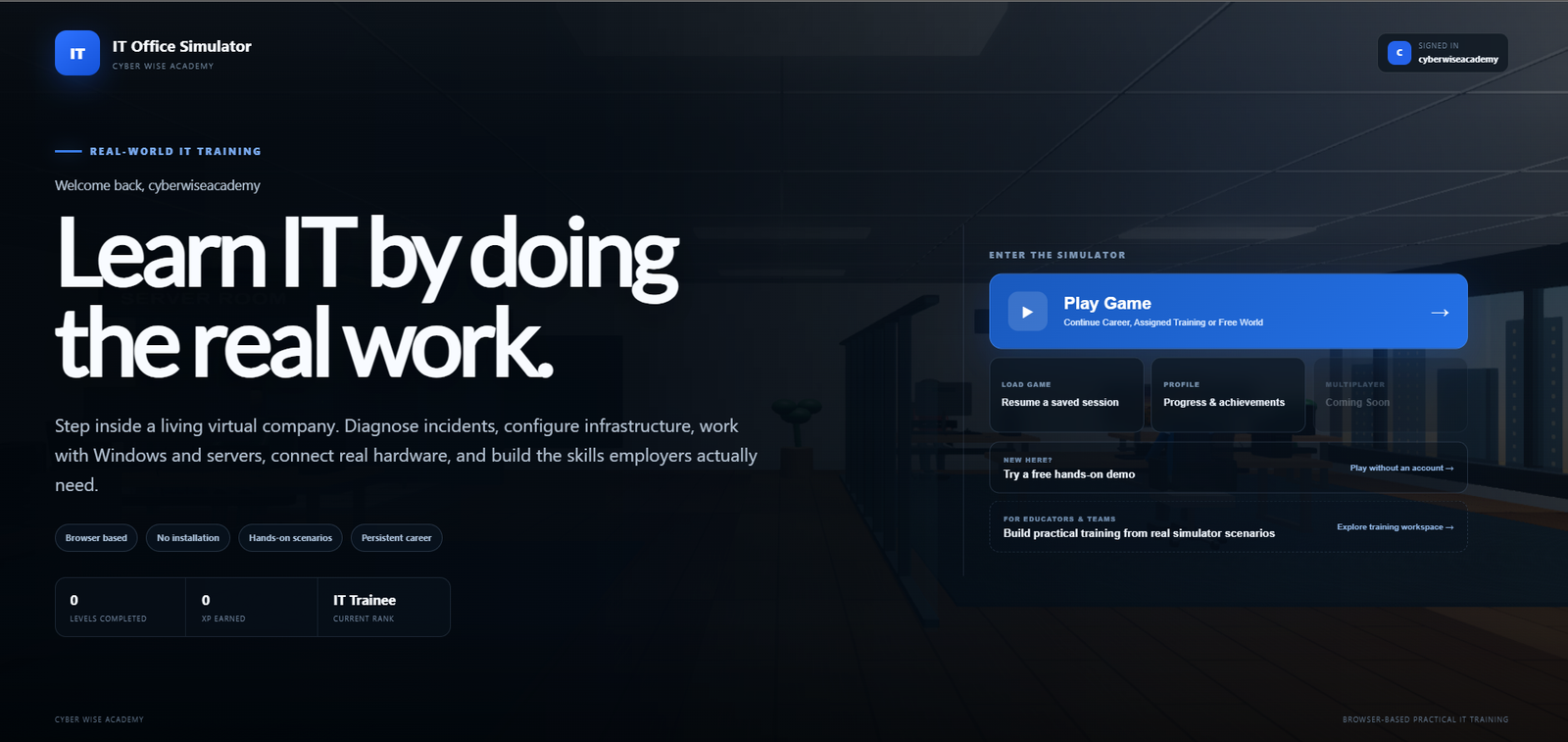
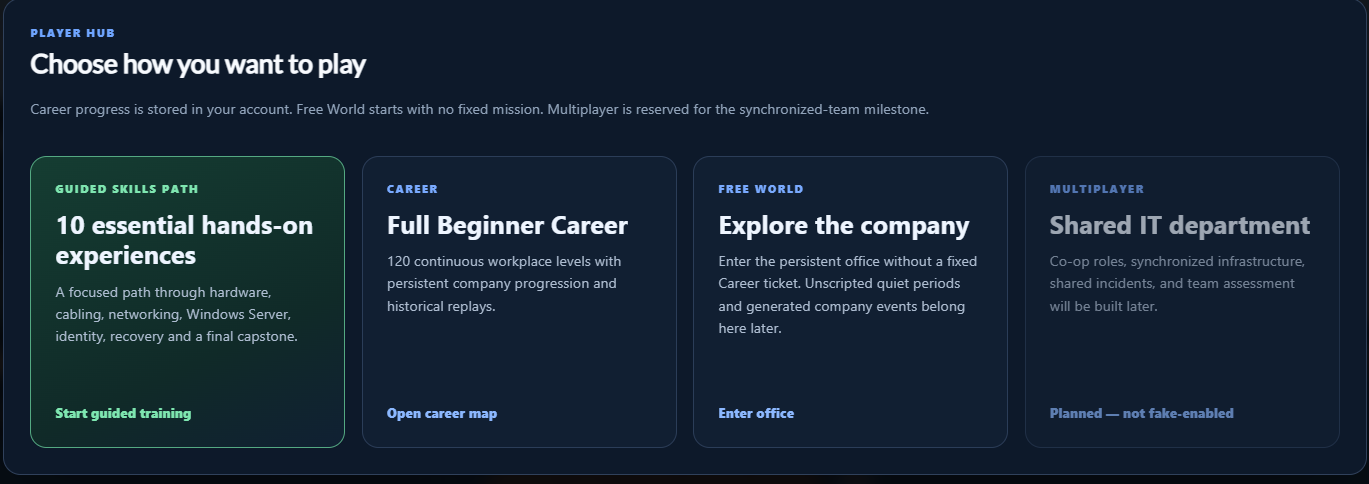
The current platform supports a guided skills path, a persistent Career Mode and Free World exploration. Career progress is stored with the learner account, while unfinished scenarios remain visibly locked until progression requirements are met.
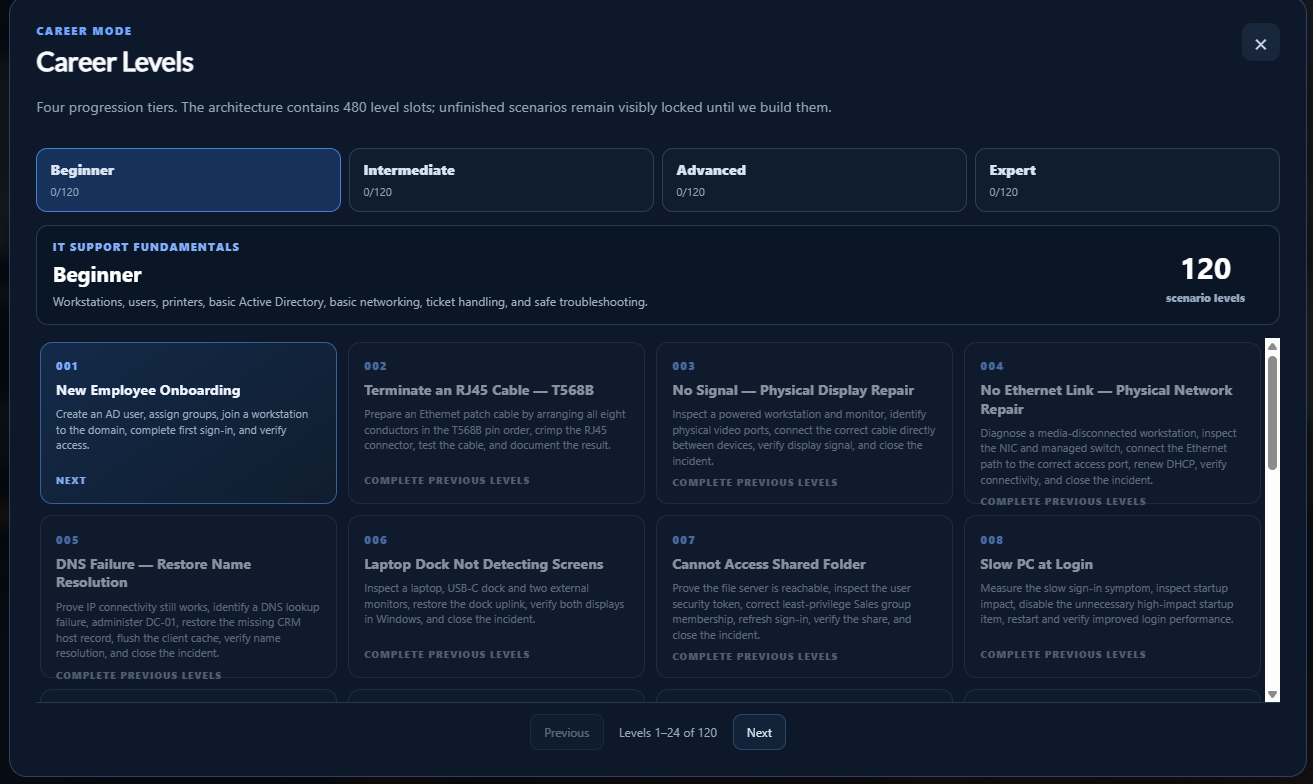
Career progression is designed as a continuous workplace journey. Levels are connected so users, devices, infrastructure and company state can evolve as the learner advances, while historical progression remains structured across Beginner, Intermediate, Advanced and Expert tiers.
Learners operate inside a virtual office, respond to service requests and interact with simulated enterprise tools rather than answering multiple-choice questions. Workflows cover workstations, Windows Server, Active Directory, DNS, DHCP, Group Policy, networking, PowerShell, remote access, event logs, backup and recovery, printers and security operations.
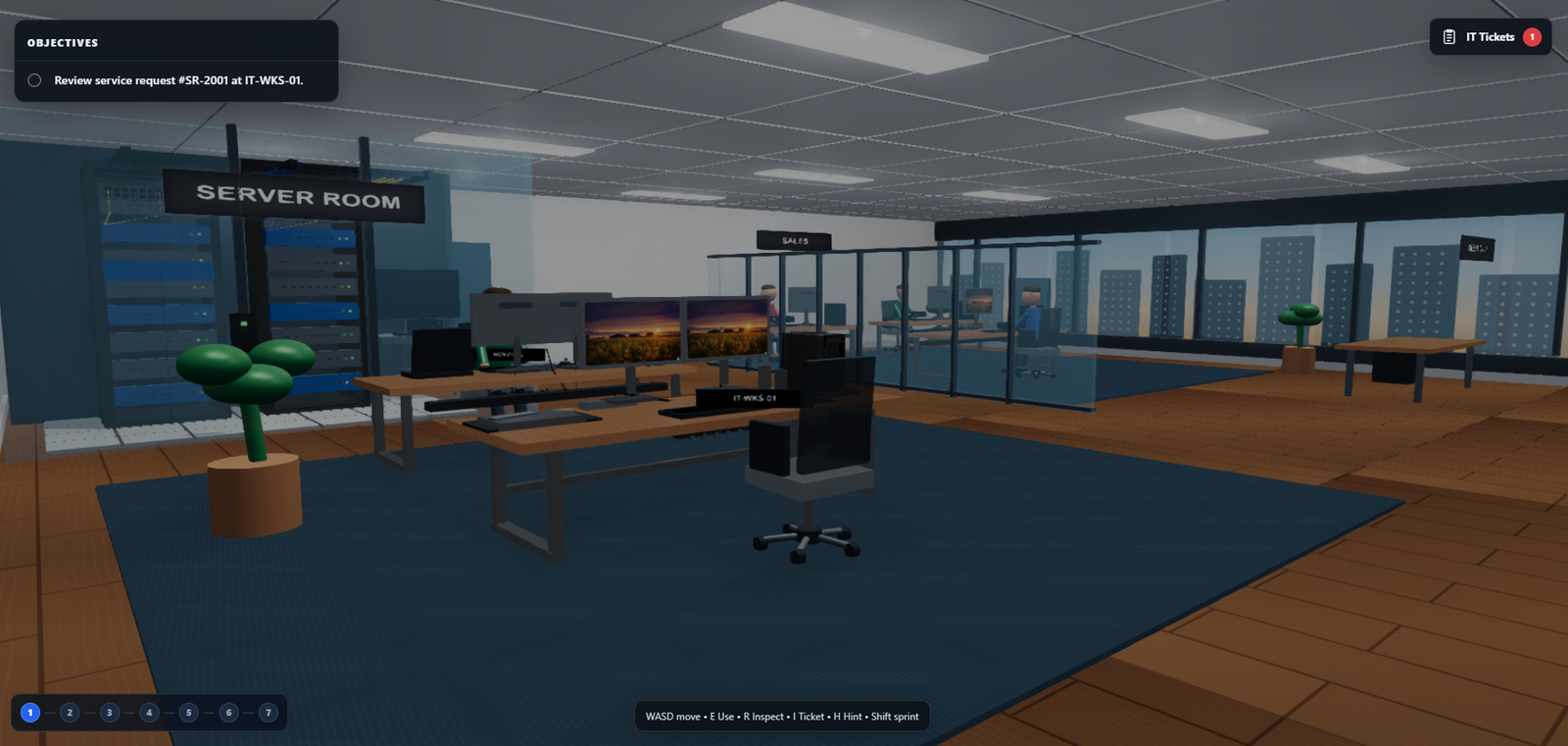
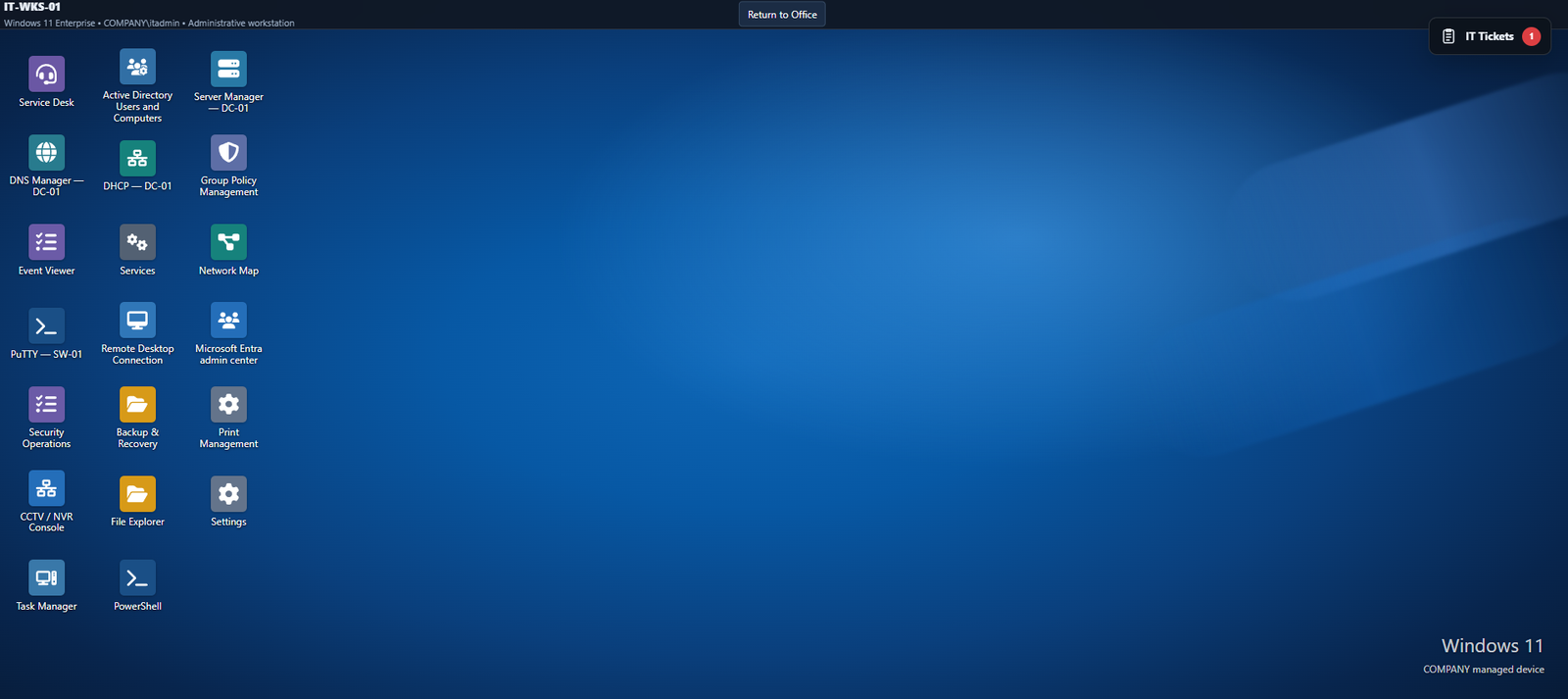
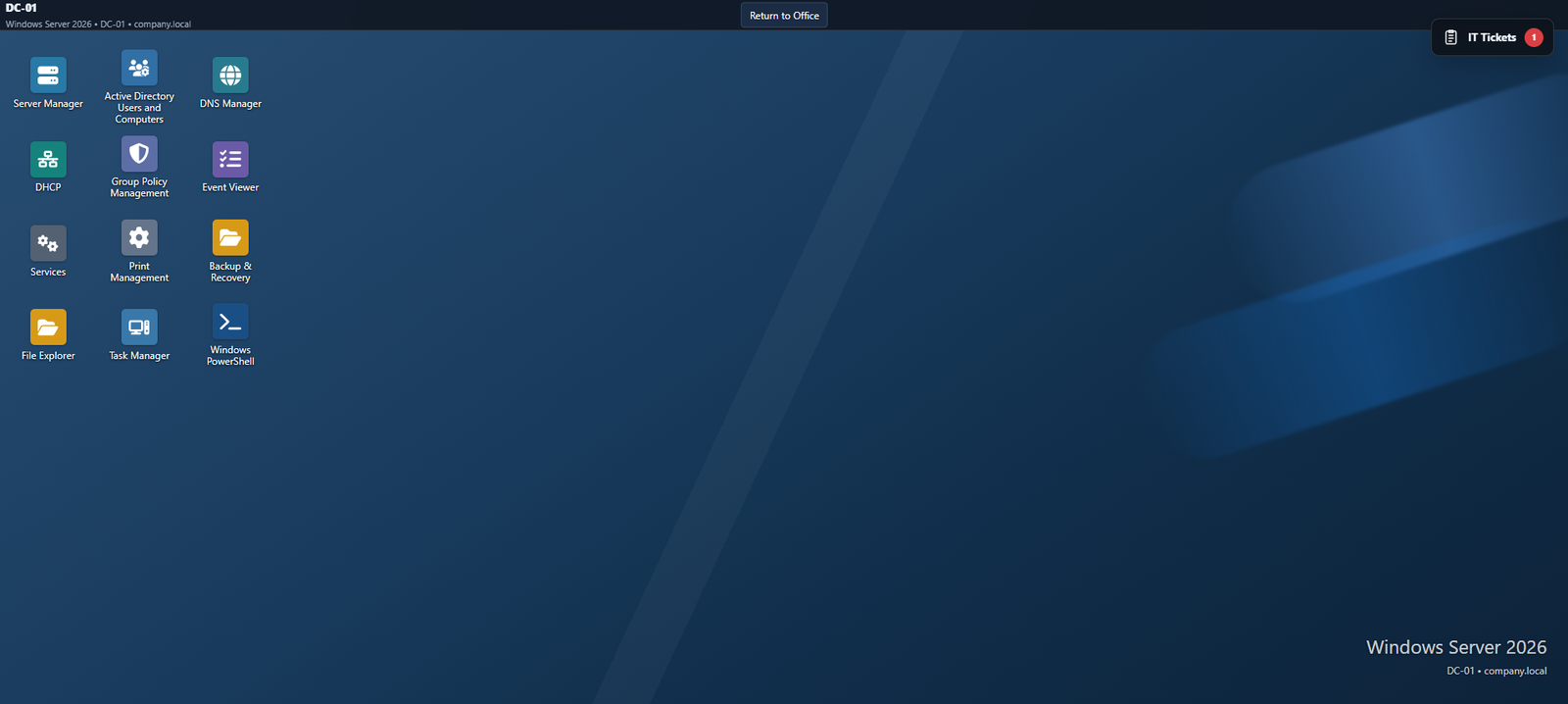
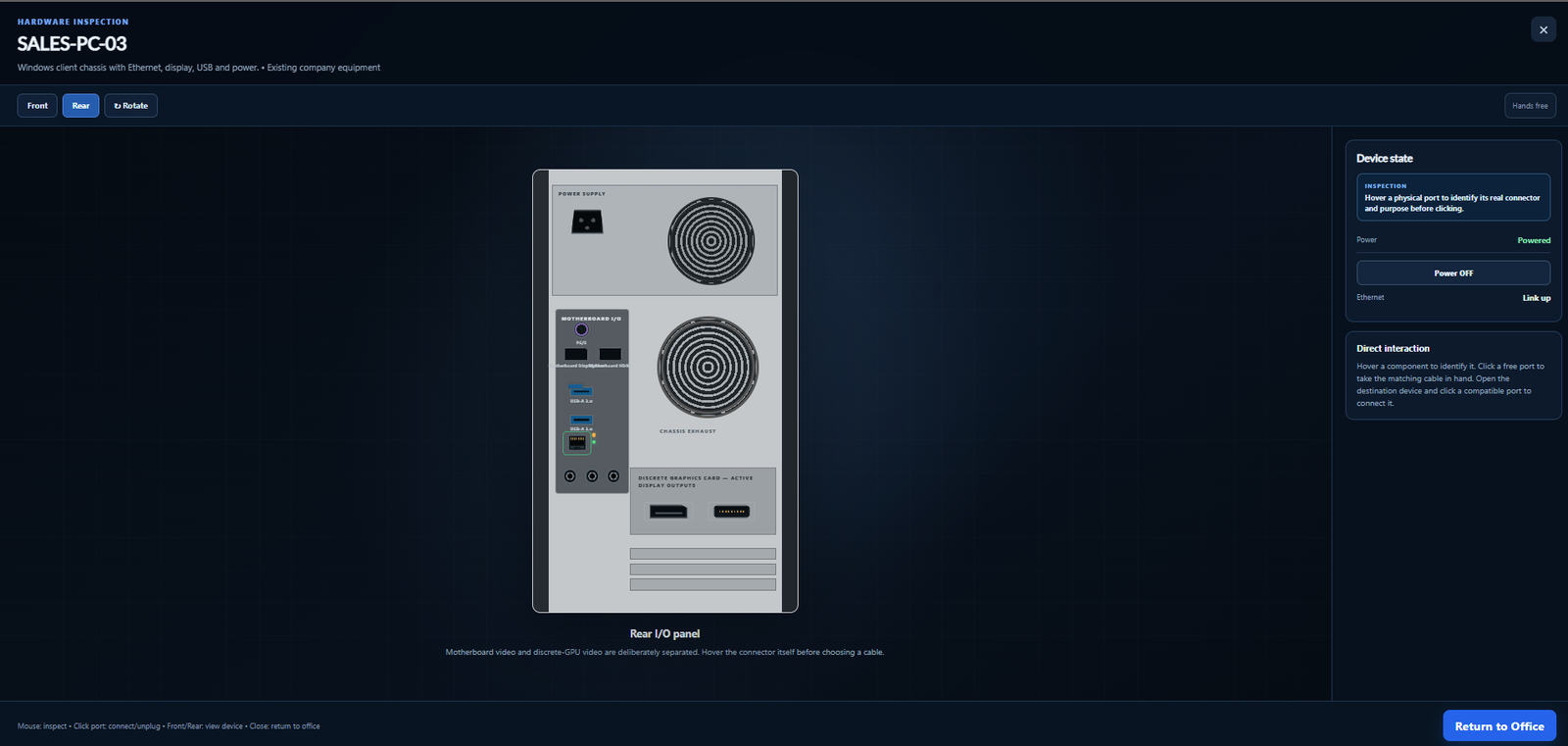
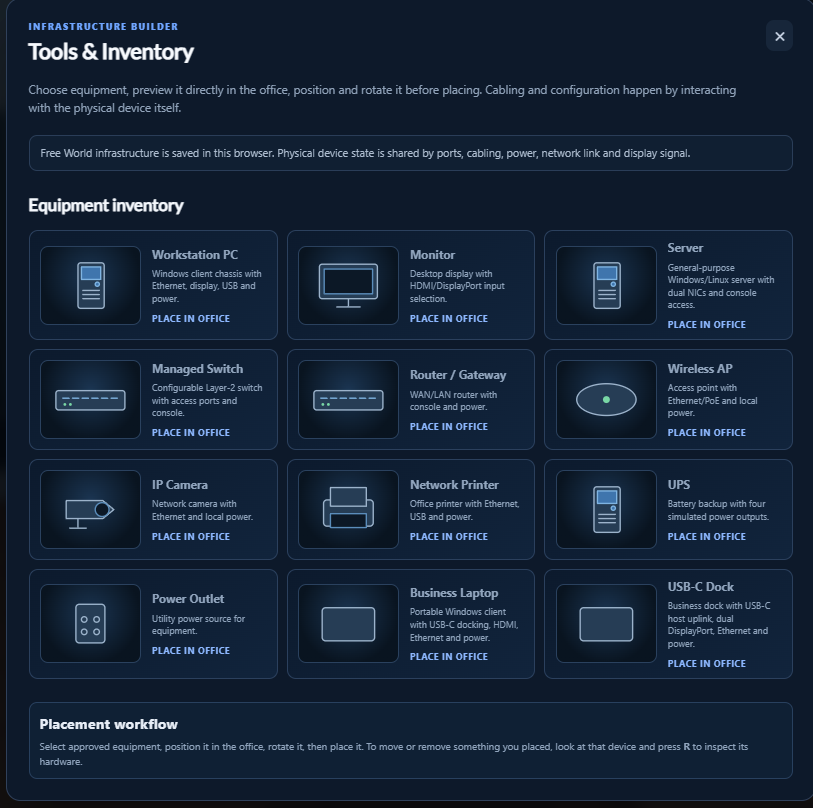
The simulator models physical device state so learners can inspect hardware, identify connectors, attach compatible cables and reason about power, Ethernet and display signals. An infrastructure builder also allows approved equipment to be placed and configured inside the office.
Free World includes an infrastructure-building workflow where equipment can be previewed, placed, positioned and later interacted with through the same physical simulation layer. Device state persists through ports, cabling, power, network connectivity and display signal.
The current product runs as a custom WordPress/PHP application with a JavaScript and Babylon.js simulation layer, MySQL-backed progression and federated authentication. GLB assets provide the 3D environment while server-side services maintain accounts, learning state and product workflows.
Server-side product framework, persistence and platform workflows.
Browser interaction, 3D environment and simulation logic.
Career progress, organizations, learning events and persistent state.
Google, Microsoft and Apple sign-in alongside account verification.
Microsoft identity profile integration for supported sign-in flows.
Browser-delivered office, equipment and interactive environment assets.
The current build includes the core browser simulator, persistent career progression, Free World, infrastructure interactions, workstation/server administration and connected troubleshooting scenarios.